Product workflow

From recorded media to a reusable presentation

Upload a file or record your screen, choose the processing features, review the result, and export.

Try the live demo

SyncSlide workflow

1

Upload a video or record your screen

Choose a supported video from your device or capture a screen, tab, or window in the browser. The upload flow shows the limits that currently apply to your account.

  • Drag and drop a supported file
  • Capture screen content with audio in the browser
  • Review format, duration, and file-size validation before processing
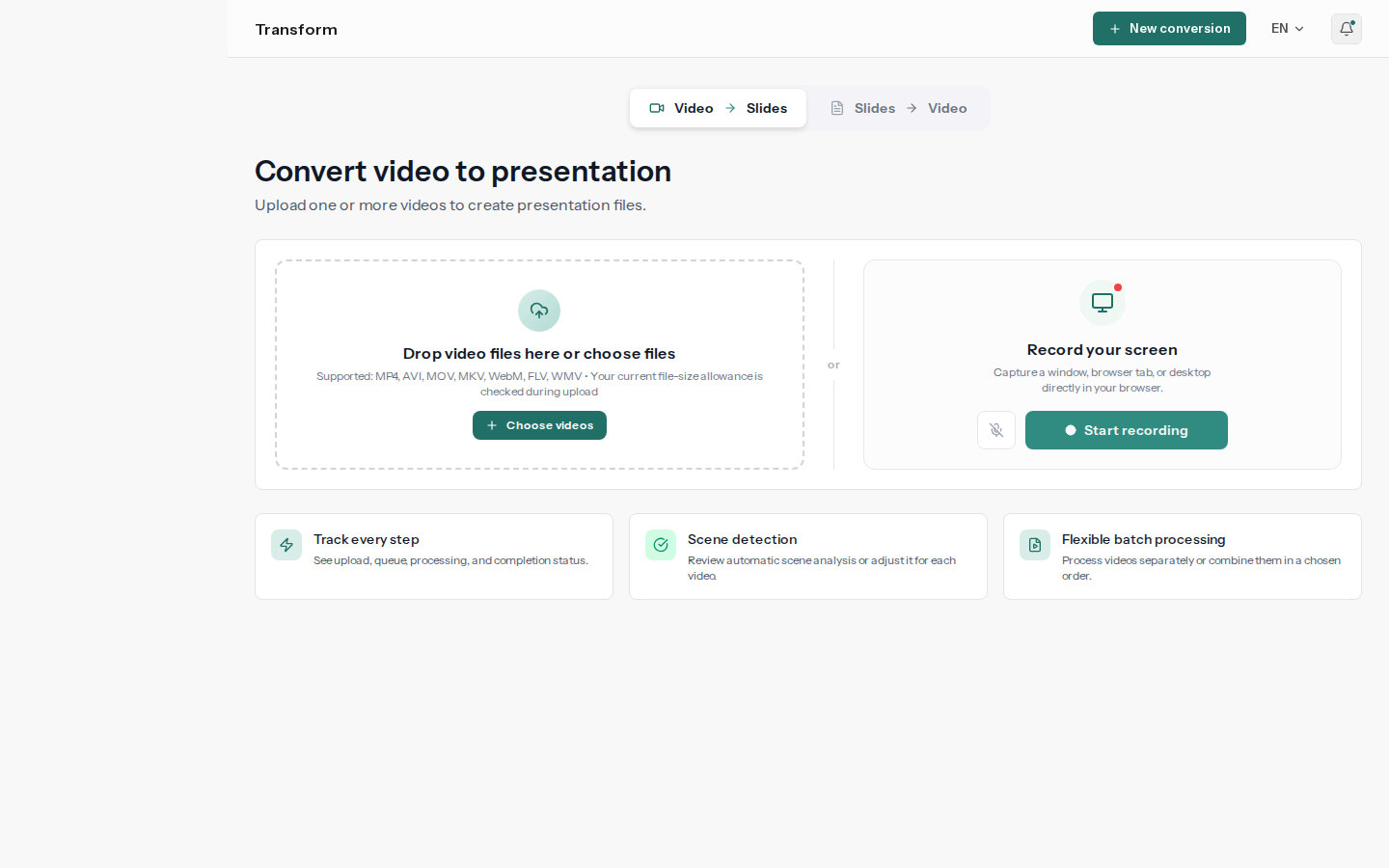
SyncSlide upload workspace with video selection and in-browser screen recording
2

Detect scenes and align the content

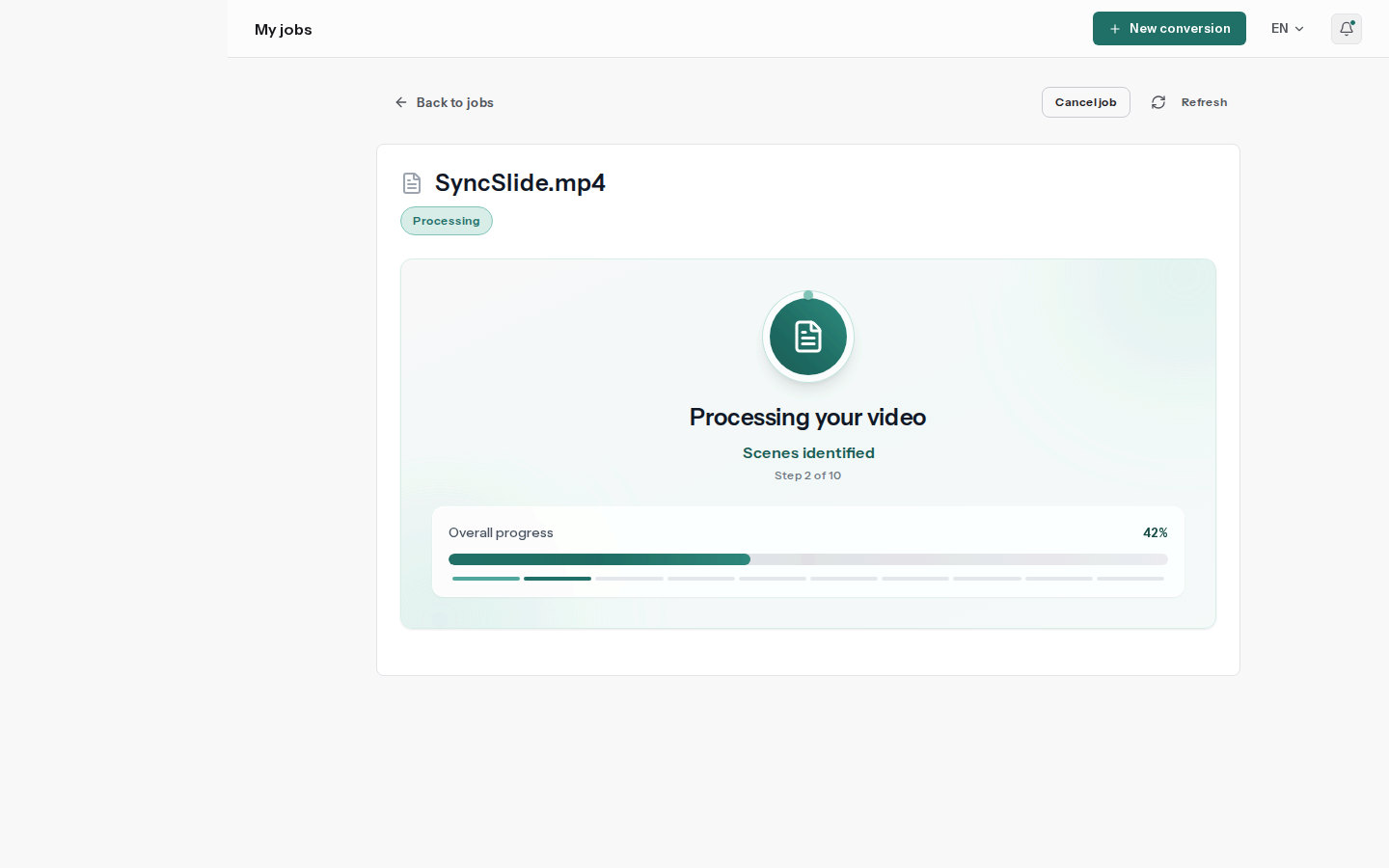
SyncSlide finds visually distinct moments, transcribes speech when enabled, and optionally captures legible on-screen text.

  • Automatic scene detection
  • Optional visible-text capture with OCR
  • Speech aligned to the corresponding scenes
SyncSlide processing page showing live conversion progress and the current stage
3

Review visuals, notes, and structure

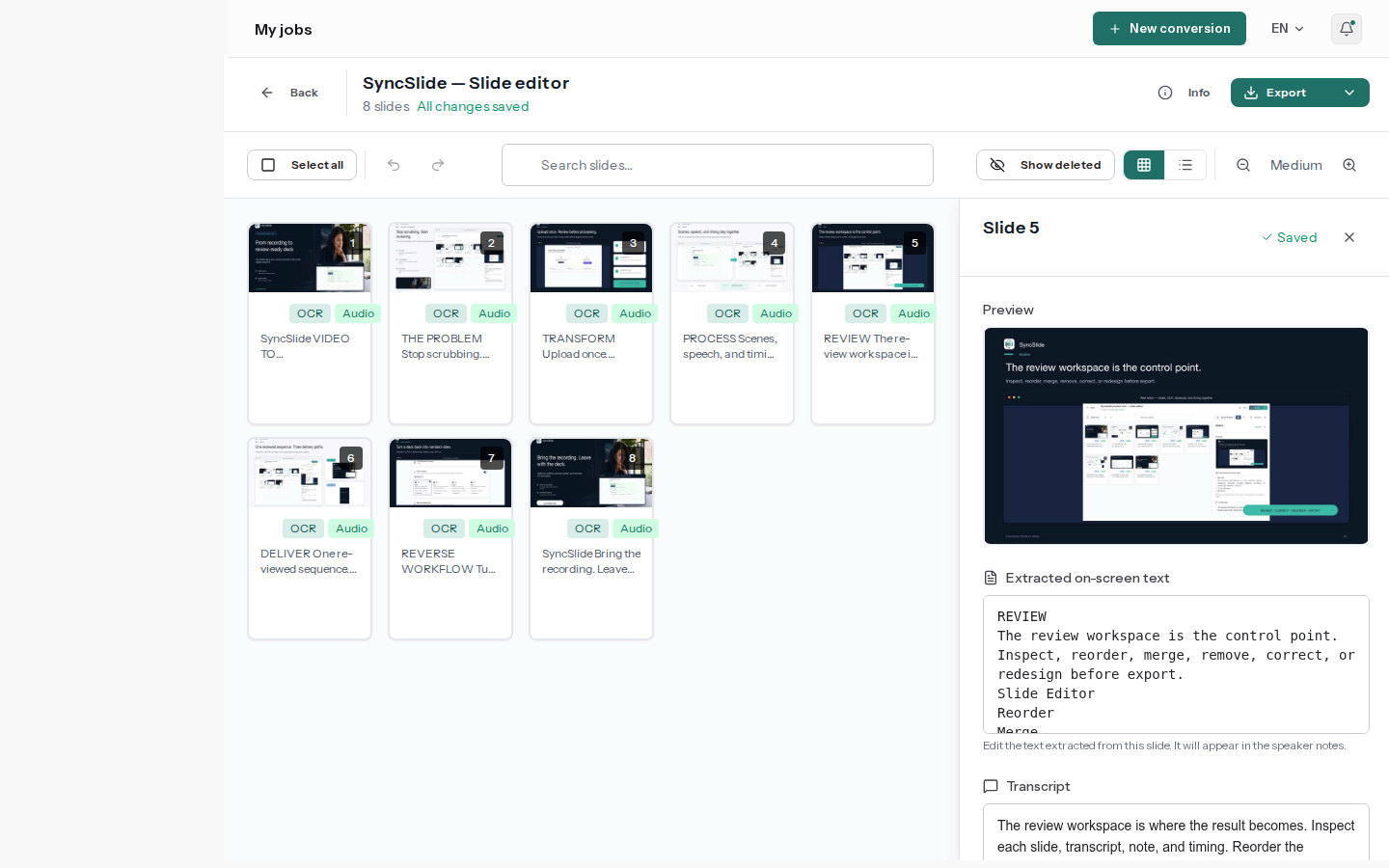
Each captured frame remains the slide visual. Edit extracted text, transcripts, and speaker notes, then reorder, merge, remove, restore, or redesign slides.

  • Pixel-faithful captured slide visuals
  • Editable OCR text, transcripts, and speaker notes
  • Editable order and deck structure
SyncSlide slide editor with slide thumbnails, text, notes, and timestamps
4

Export or deliver the presentation

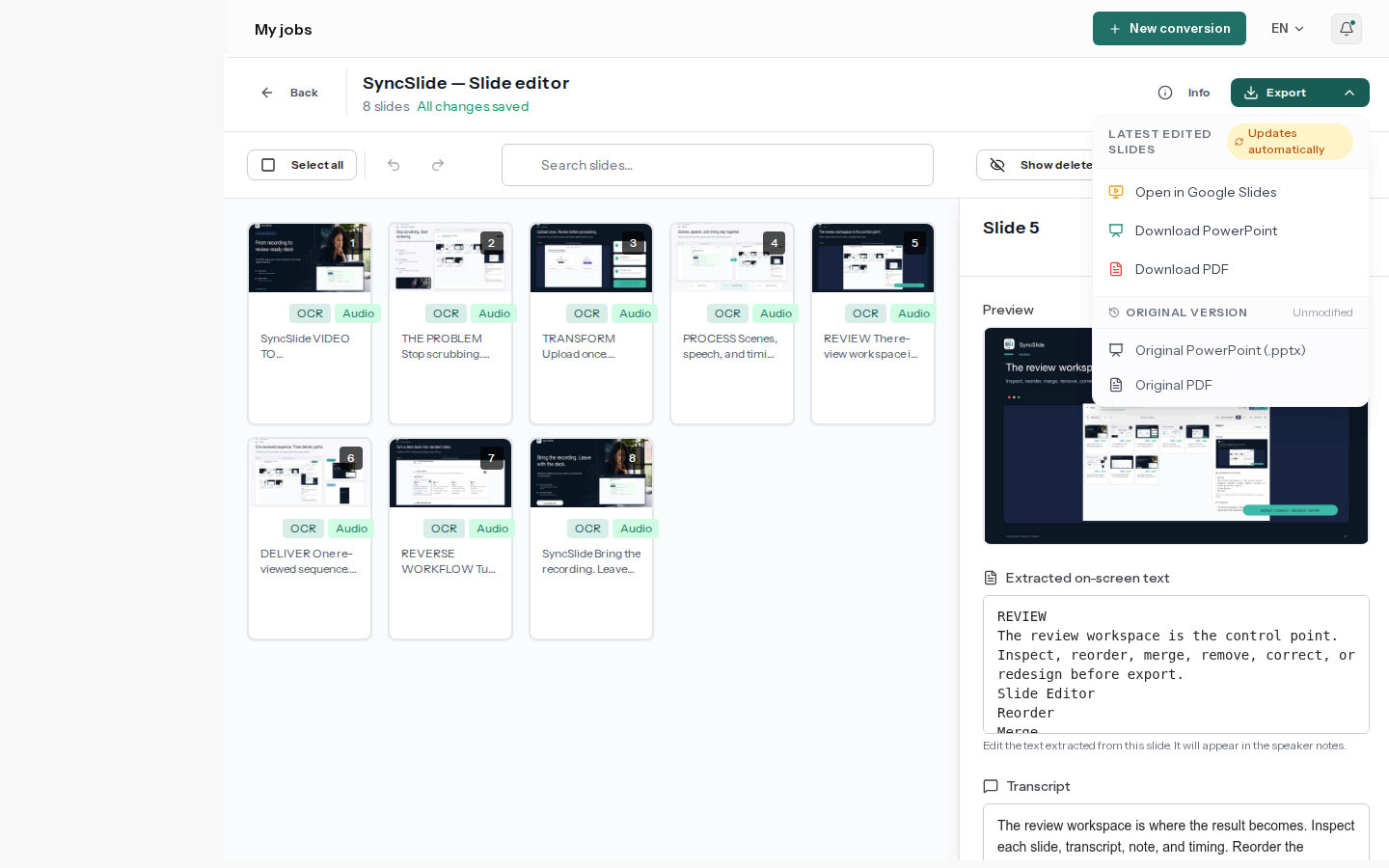
Download PowerPoint or PDF, or choose delivery to Google Slides. Visuals remain raster images while notes and structure stay editable.

  • Deliver an online copy to Google Slides
  • Download a standard PowerPoint file
  • Download a fixed PDF document
SyncSlide editor with the PowerPoint, PDF, and Google Slides export menu

Designed for practical reuse

Apply the same workflow to learning, teaching, meetings, marketing, and training.

Classes

Turn lecture recordings into chronological study slides with aligned notes.

Webinars

Create a presentation that preserves product demonstrations and key visuals.

Meetings

Share screen captures and aligned discussion notes without replaying the recording.

Tutorials

Capture visually distinct steps as a structured reference deck.

Ready to try the workflow?

The pricing page shows current account and credit options.