The Death of Desktop Recording Software [New Feature]
Say goodbye to bulky desktop apps. We've just launched native, browser-based screen recording to capture meetings and instantly convert them into beautiful PowerPoint slides.

![The Death of Desktop Recording Software [New Feature]](/images/blog/screen_recorder_cover.png)
For decades, recording your screen meant installing clunky desktop software, dealing with format compatibility issues, managing gigantic files, and wrestling with export settings.
Today, we're changing that. We are thrilled to announce Native In-Browser Screen Recording for SyncSlide.
With zero installations, zero plugins, and zero friction, you can now capture your screen directly from the SyncSlide dashboard and instantly turn it into an editable, professional PowerPoint presentation.
Why We Built This
The core mission of SyncSlide has always been to save you time. While uploading an existing MP4 or MOV file from Zoom or Teams is incredibly powerful, we noticed a major friction point: spontaneous capturing.
What if you're not in a recorded Zoom meeting? What if you're walking through a software demo, narrating a tutorial, or analyzing a financial model on your own? Previously, you'd have to open QuickTime, Loom, or OBS, record the session, save it locally, find the file, and then upload it to SyncSlide.
We've cut out the middleman.
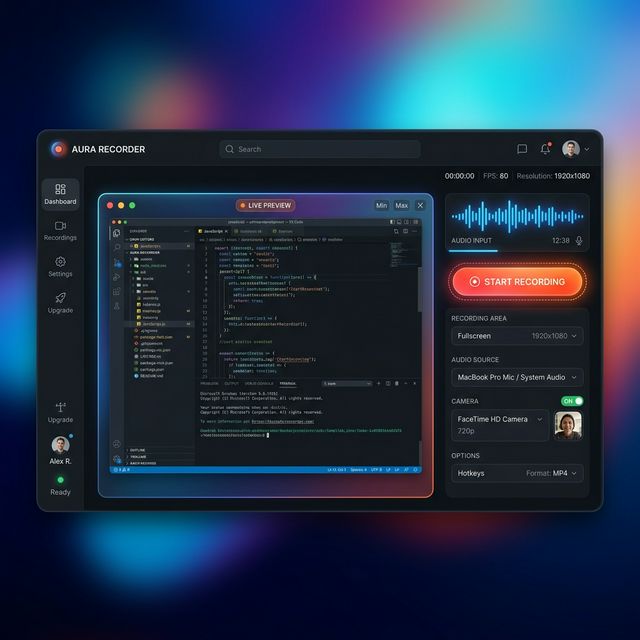
A Seamless, SOTA Experience
We didn't just add a generic record button. We engineered a state-of-the-art (SOTA) recording experience built securely into your browser, utilizing modern WebRTC and MediaRecorder APIs.
1. Zero-Install Instant Capture
Click the "Record Screen" button on the upload page, select a window, tab, or your entire screen, and start talking. There is no software to install or update. It just works.
2. Beautiful Glassmorphic UI
Our recording interface features a stunning dark-mode, glassmorphism design that stays out of your way while providing essential feedback like live audio waveguides and elapsed time.
3. Maximum Privacy and Security
The recording happens entirely inside your browser cache. The video data is never written to your hard drive, avoiding clutter. Once you stop recording, the video is instantly beamed to our secure processing pipeline using high-speed Azure Blob SAS tokens.
4. Resilient to Browser Crashes
We implemented advanced chunking technology. While you record, your browser caches the video in small, manageable chunks. If your tab accidentally closes or crashes, your recording data is safeguarded against corruption.
How to Try It Today
Getting started is incredibly simple:
- Log in to your SyncSlide dashboard.
- Click on Upload Videos.
- Choose the new "Record Screen" option instead of selecting a file.
- Select what to share (a specific Chrome tab works great for slide presentations!)
- Hit Stop when you're done.
The moment you hit stop, SyncSlide handles the rest. Our AI will automatically extract the text via OCR, transcribe your audio into speaker notes, detect scene changes, and generate your PowerPoint deck.
Technical Deep Dive: The WebM Revolution
Under the hood, browser recordings are created in the .webm format. Historically, taking browser-generated WebM files and running complex AI processing on them was a nightmare due to missing metadata headers (specifically, the Duration tag).
Our engineering team rebuilt the underlying metadata extraction pipeline to support these files natively. We implemented a robust, 3-tier validation system utilizing ffmpeg packet-scanning to ensure that even the most stubborn browser-generated files are processed with 100% accuracy.
The Future of Content Creation
Whether you're an educator answering a student's question, a sales rep practicing a pitch, or a product manager documenting a new feature, you now have the fastest path from showing your screen to generating a professional presentation.
Try the native screen recorder today and experience the future of workflow automation.
![How to Convert Zoom Recordings to PowerPoint [2025 Guide]](/images/blog/dashboard-mockup.png)