Turn any recording into a PowerPoint deck
Upload a lecture, webinar or screen recording. Get back every slide that appeared on screen, in order, with the spoken explanation written under each one as speaker notes you can edit.
- Finds every slide change
- Speech becomes speaker notes
- Edit notes and structure
- No screenshots, no retyping
PPTX
Presentation file
Printable document
Google Slides
Delivered online
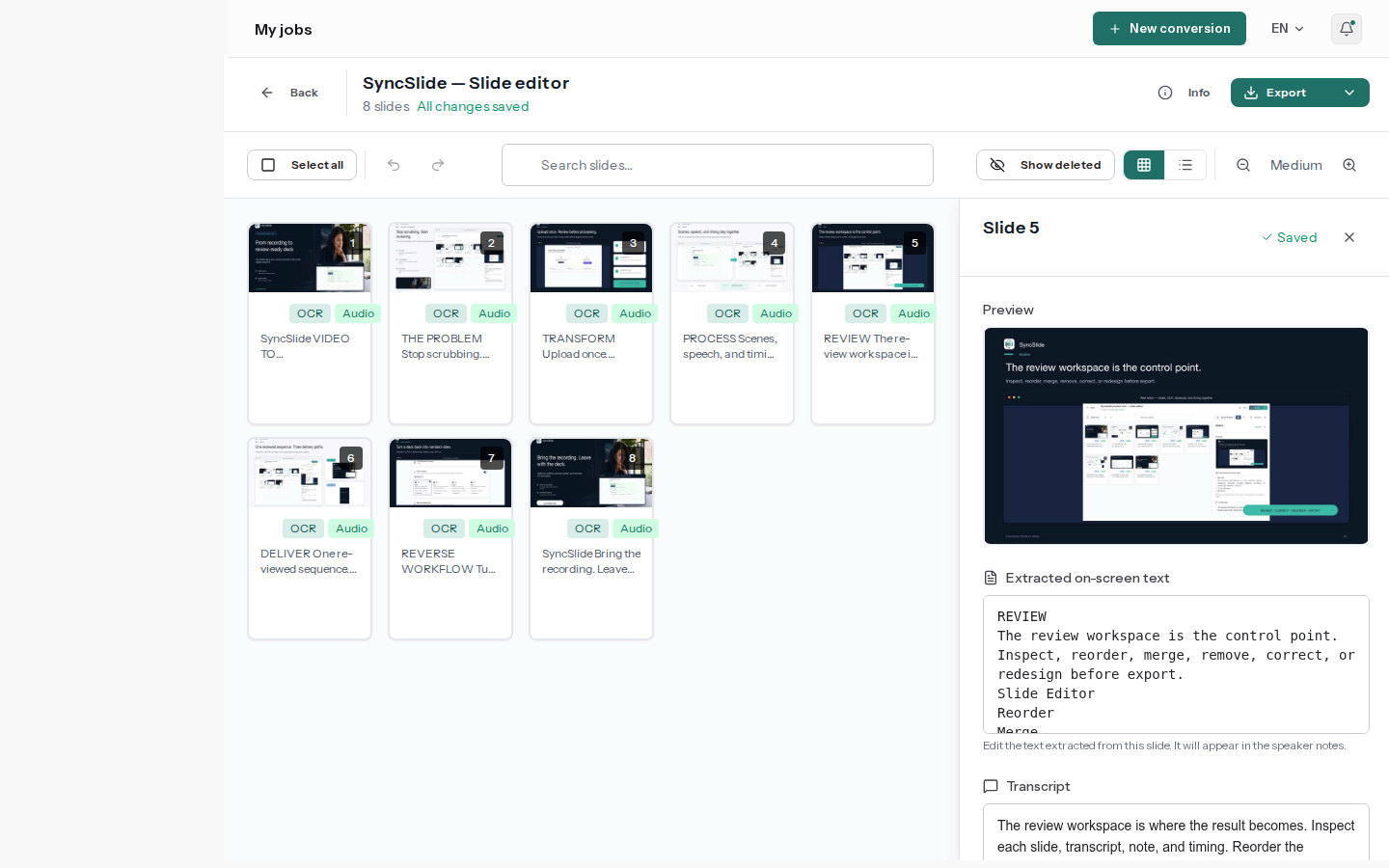
See a real conversion
Watch the source video and download the matching PowerPoint and PDF. Slide screenshots are images; speaker notes and extracted text remain editable.
What you get from a video
Every slide, none of the filler
SyncSlide watches for real changes on screen, such as a new slide, a screen share or a demo step, and turns each one into a slide in the order it happened.
The talk track, already written
Switch on transcription and what the presenter said about each slide lands in its speaker notes, ready to search, trim and edit.
On-screen text you can copy
Optional text extraction reads legible titles, bullets and captions from the video so you can edit them next to the transcript.
Shape the deck before you export
Reorder, merge, remove or restore slides and rewrite the notes. Each slide keeps its captured image, so charts and diagrams stay exactly as shown. Try an AI redesign as a separate version whenever you want a fresh look.
PowerPoint, PDF and Google Slides
Download PPTX and PDF, or have a Google Slides copy delivered to your account email for sharing and comments.
Nothing manual
Scene detection, frame capture, transcription and note alignment happen for you. Follow the progress on the job page and come back to a finished deck.
How to convert a video to PowerPoint
From recording to deck in three steps
Upload your video
Drop in a supported video file. The upload screen shows the duration and file-size limits that apply to your account before you start.
SyncSlide builds the deck
It finds the slide changes, writes the aligned notes when transcription is on, and captures visible text when you ask for it. Watch the progress on the job page.
Trim, polish, export
Edit text, notes or structure, then download PowerPoint or PDF or open the delivered Google Slides copy.